Oncontact CRM8.2.25
Publisher Description

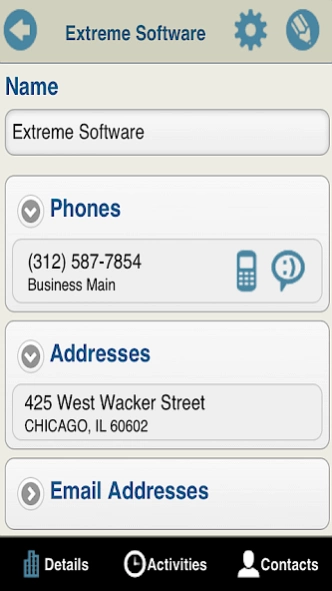
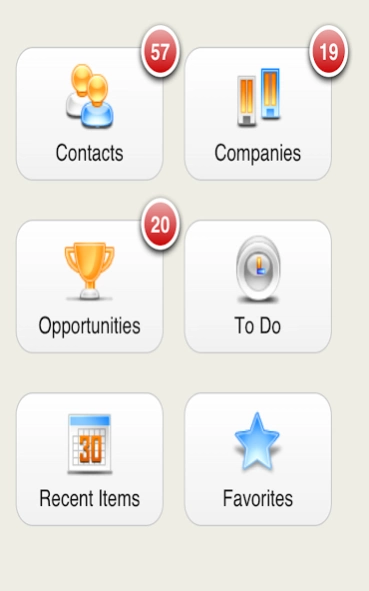
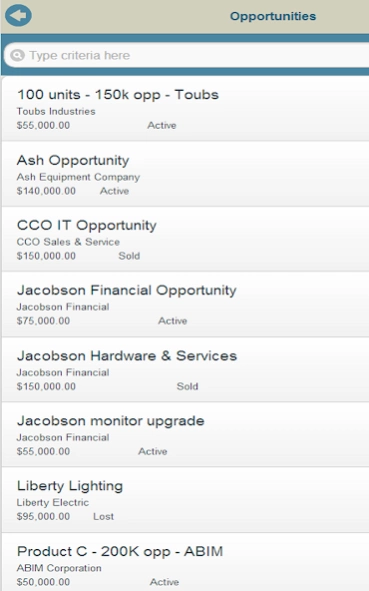
The mobile client for Oncontact provides CRM for representatives on the go.
Oncontact CRM Mobile
The mobile client for Oncontact CRM 7 provides access to CRM data from the Android devices.
This application is designed to work with the Oncontact CRM 7 server solution. An Oncontact CRM 7 website is required to run this application. With the mobile client CRM 7 users can:
View up-to-date company and contact activity history prior to meetings and calls
Add new prospect and client information
Schedule activities for themselves and colleagues
Continuously receive new tasks, contacts, and other assigned data
Quickly log information from meetings, calls, and emails
The mobile application and data is available anytime, even when out of network coverage. Data added or updated on mobile devices is automatically synchronized with the server. Similarly, changes to data on the server are synchronized with subscribed mobile clients.
The mobile client, like other CRM 7 applications, may be tailored with Oncontact’s toolkit to fulfill specific requirements. Technical features include:
Filter data available to mobile clients
Assign new records to mobile devices at any time
No middleware components are required
Configurable modules and sub-modules
Customizable views to data for different users and/or groups
Mobile clients have access to customized entities and related data
Please visit "http://www.oncontact.com" www.oncontact.com for more information.
About Oncontact CRM
The company that develops Oncontact CRM is WorkWise, LLC. The latest version released by its developer is 8.2.25.
To install Oncontact CRM on your Android device, just click the green Continue To App button above to start the installation process. The app is listed on our website since 2019-01-04 and was downloaded 13 times. We have already checked if the download link is safe, however for your own protection we recommend that you scan the downloaded app with your antivirus. Your antivirus may detect the Oncontact CRM as malware as malware if the download link to com.Oncontact.Android is broken.
How to install Oncontact CRM on your Android device:
- Click on the Continue To App button on our website. This will redirect you to Google Play.
- Once the Oncontact CRM is shown in the Google Play listing of your Android device, you can start its download and installation. Tap on the Install button located below the search bar and to the right of the app icon.
- A pop-up window with the permissions required by Oncontact CRM will be shown. Click on Accept to continue the process.
- Oncontact CRM will be downloaded onto your device, displaying a progress. Once the download completes, the installation will start and you'll get a notification after the installation is finished.
Program Details
System requirements
Download information
Pricing
Version History
version 8.2.25
posted on 2019-01-04
Required updates for Google Store
version 8.2.24
posted on 2016-08-03
- Improved performance,- Maintenance release which includes fixes for various issues
